Start from the original PDF
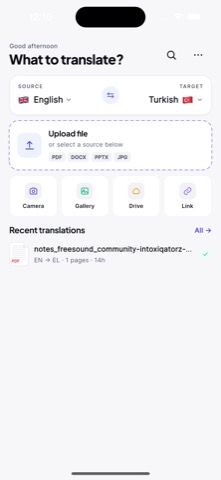
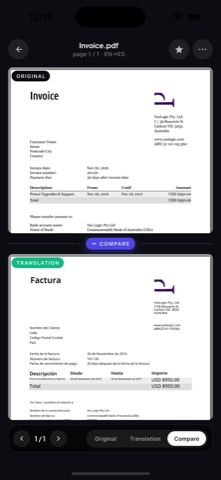
Upload the PDF from Files, email, browser downloads, chat apps, or cloud storage. Keep the original close so you can compare the translated result.
 AI PDF Translator
PDF language translation
AI PDF Translator is structured for global document workflows: English for school and business, Spanish and French for travel and clients, German for technical documents, Arabic and Turkish for regional paperwork, and Japanese for product and research material.

Languages
Pick the target language first, then review the translated PDF against the original so names, numbers, dates, and tables stay easy to check.
Upload the PDF from Files, email, browser downloads, chat apps, or cloud storage. Keep the original close so you can compare the translated result.
Use AI translation to understand the document quickly, then review formatting-sensitive sections such as tables, invoices, signatures, dates, and names.
School, travel, and general business documents are good everyday use cases. Legal, medical, financial, and certified documents need extra verification.
Related languages
FAQ
Yes. AI PDF Translator is positioned for mobile PDF translation to multiple languages, with review steps for scanned pages, tables, numbers, names, and important document details.
Use AI translation for understanding and drafts. Certified, legal, medical, financial, and safety-critical documents should be reviewed by a qualified professional.
Scanned pages need OCR before translation. Clear scans usually translate better than blurry photos, curved pages, stamps, or handwriting.